Hosted CRM for small businesses and sellers
Reo
A live web CRM built around customers, conversations, planned follow-ups and deals.
The problem
Small sales teams need a place to keep accounts, log what happened, and always know the next follow-up, without enterprise CRM weight.
My role
Product owner and builder. I defined the workflow, made the scope and release calls, and built it with AI coding tools and agents.
- Spotted
- A seller without a CRM needs four answers at a glance: which accounts are being worked, what those companies are worth, what business is priced, and what's due today. Those questions became the Dashboard.
- Decided
- Keep the CRM close to how selling actually moves. I set the account and deal stages and dropped a proposed Nurture stage, accepted fast manual activity logging for version one instead of waiting on email detection, and kept company revenue separate from deal value so each total means one thing.
- Built
- Took it from a single-seller local prototype to a hosted product at reocrm.com, working with AI coding tools and agents. Each release passed a written checklist and acceptance tests with synthetic users and companies before it went live.
- Learned
- Two separate ways to plan work, follow-ups and activities, gave sellers two competing paths for the same job. I merged them into one flow: plan it, complete it with what actually happened, and schedule the next step in the same save.
What changed
Documented changes to the product, not measured customer results.
- Before
- A local, single-seller app on one Mac.
- Now
- A hosted CRM at reocrm.com that a team can share, with Owner and Member roles and tenant isolation checked twice.
- Before
- Planned follow-ups and logged activities were separate actions.
- Now
- One save closes the plan, records the real outcome and schedules the next activity. Undo reopens the plan.
- Before
- Joining a workspace needed hands-on setup.
- Now
- Guided onboarding: people request a new workspace or ask to join their company, an Owner approves, and email notices follow.
What it does today
- Accounts and contacts with shared activity history
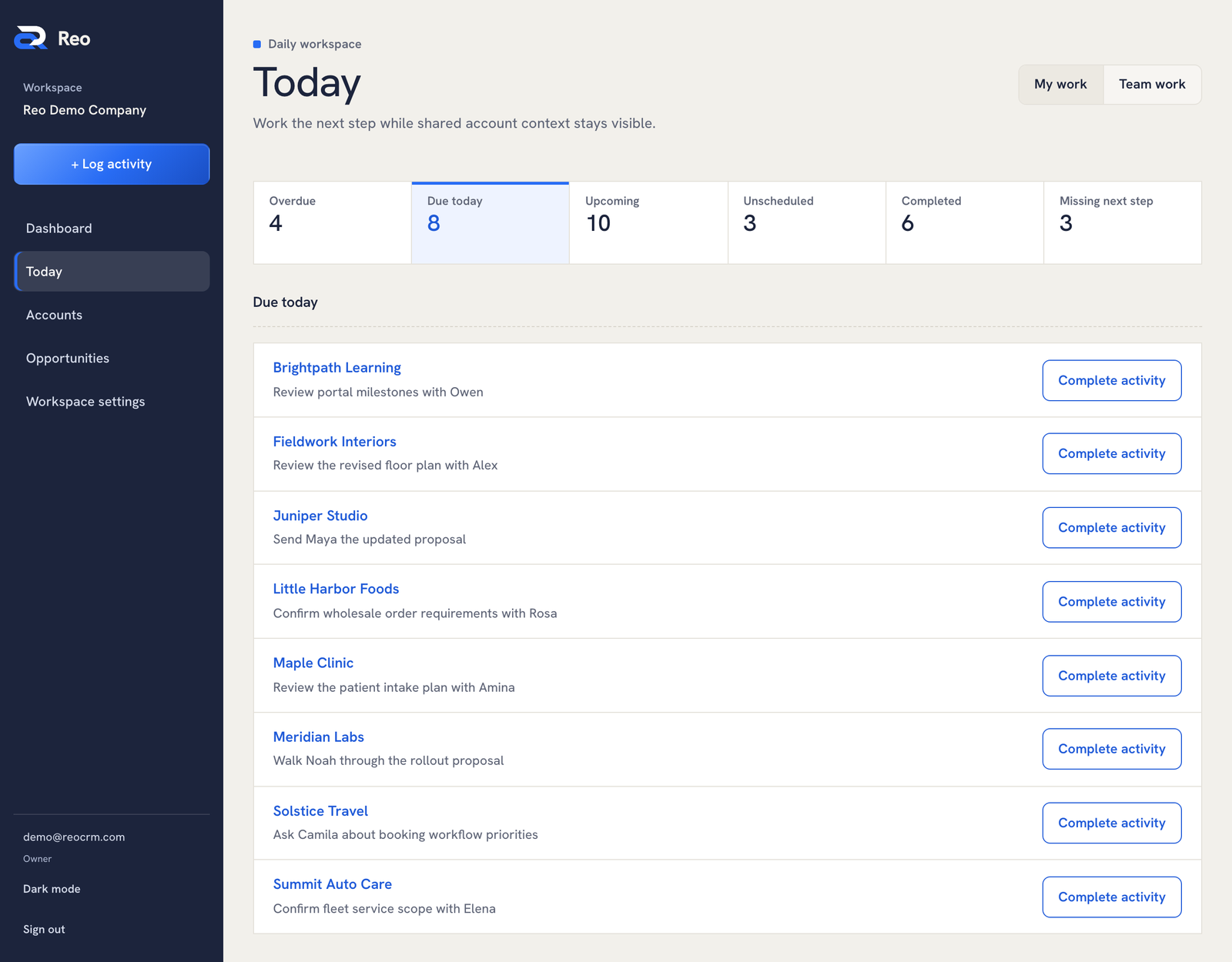
- Follow-ups and a Today view that separates overdue, due and upcoming work
- Opportunities with pricing history, and a Dashboard whose totals open the records behind them
- Organization roles (Owner and Member) and audited assignment controls
- Workspace onboarding, company join requests, Owner approval and transactional email
Decisions and tradeoffs
- Tenant isolation is enforced twice: in the HTTP layer (identity, membership, role, origin and CSRF checks) and again by database Row Level Security, so one mistake cannot become a cross-customer leak.
- Releases are gated by a written launch checklist. Acceptance runs against synthetic users and companies, never real customer data.
- Each feature has a progress document recording what was verified and what remains.
Scope & limits
- Spreadsheet import, attachments, research and mapping on the hosted product
- Migration of earlier local records
How it was built
I build with a range of AI coding tools and agents, then test the result against the workflow it is meant to improve. The stack is listed for reference.
- React
- TypeScript
- Cloudflare Workers
- Supabase Auth
- PostgreSQL with RLS
- Resend (email)
Source: the project's own README and documentation, checked October 21, 2026.